Built by Incident Commanders For Incident Commanders
Optic™ brings focus to any incident — From single-family structure fires to multi-alarm operations. Fully customizable options let you run command your way.
Dry-erase boards get wet. Paper blows away.
Optic is built for the realities of the fireground. Designed to be dependable when conditions aren’t, it continuously saves throughout the entire incident ensuring your command decisions are always supported by accurate information.
Your focus should be managing the incident, not managing a tracking sheet.
With simplicity at its core, Optic lets incident commanders move resources with fast, intuitive taps getting units where they need to be, when they need to be there.
With individual unit timers, incident timers, PAR reminders, Mayday tracking, incident checklists, incident reporting, and more, Optic supports command from the first unit on scene through incident termination.
Incidents are unpredictable. Your command board shouldn't be.
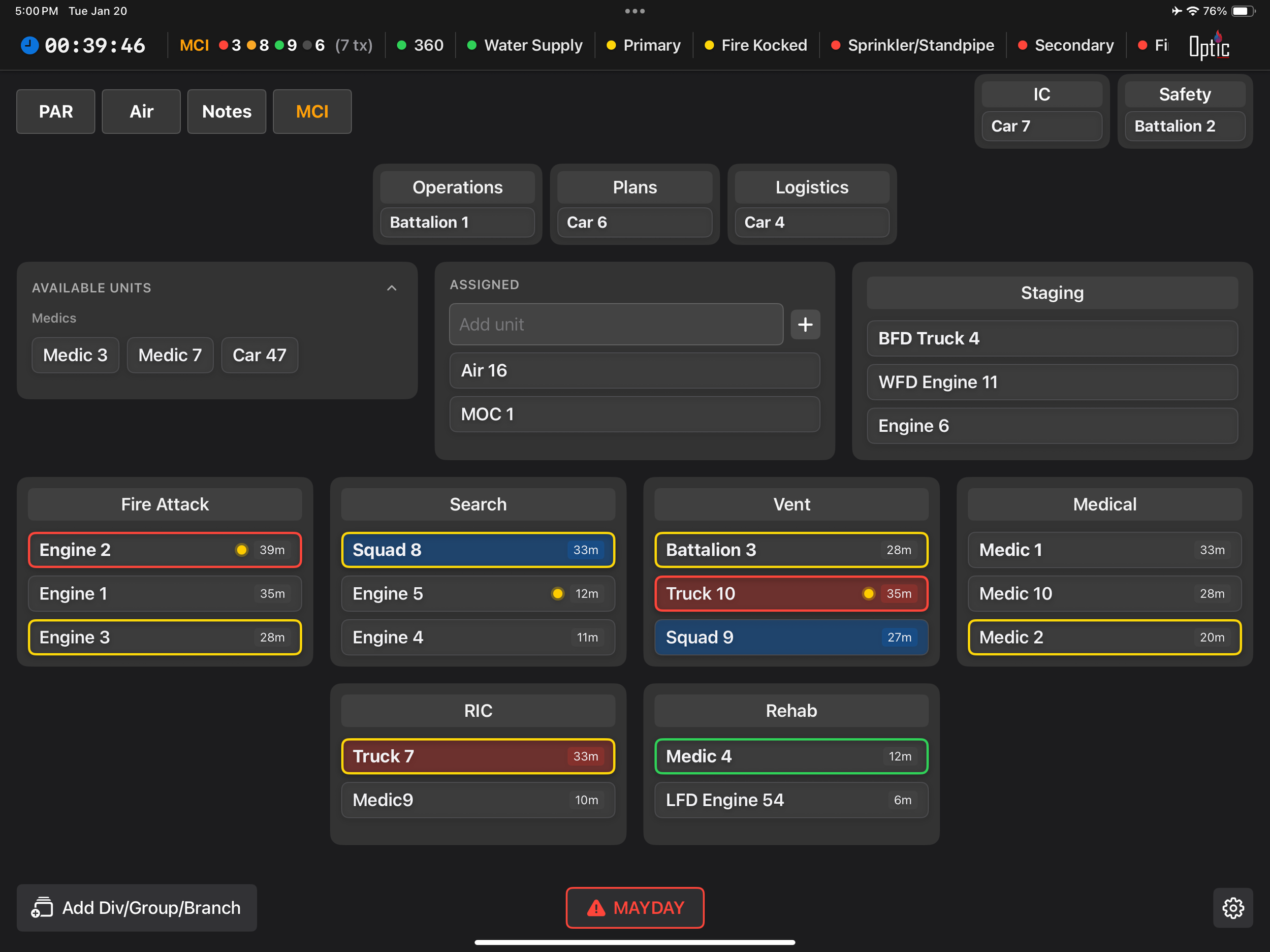
From room and contents to multiple alarms…
Total visibility of Command Staff, General Staff, Branches, Groups, and Divisions—all on one screen.
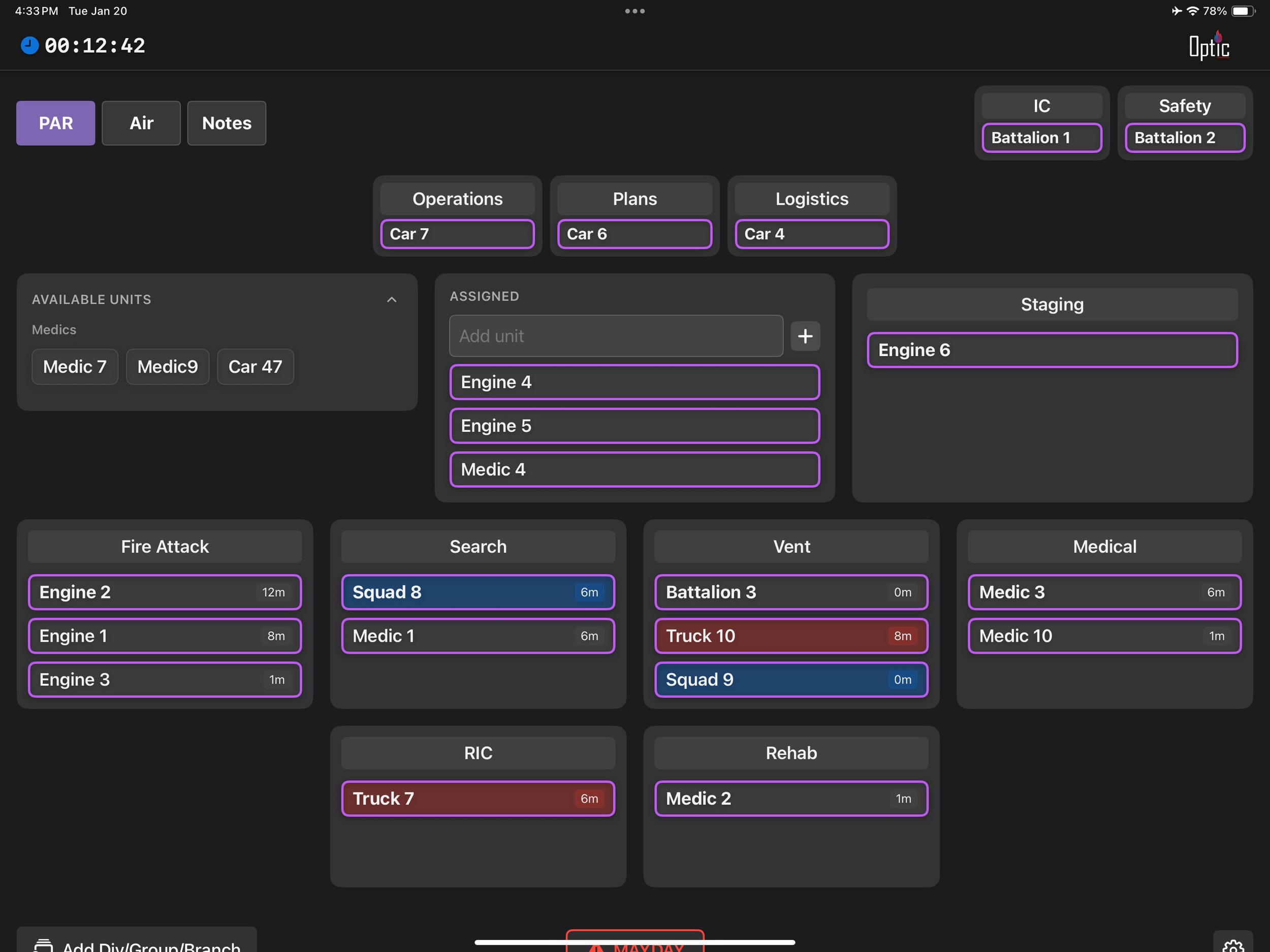
Take accountability of all units on scene, a specific division or group, or a single resource. Maintain safe operating conditions with personnel tracking that works as fast as you do.
One-Tap PAR
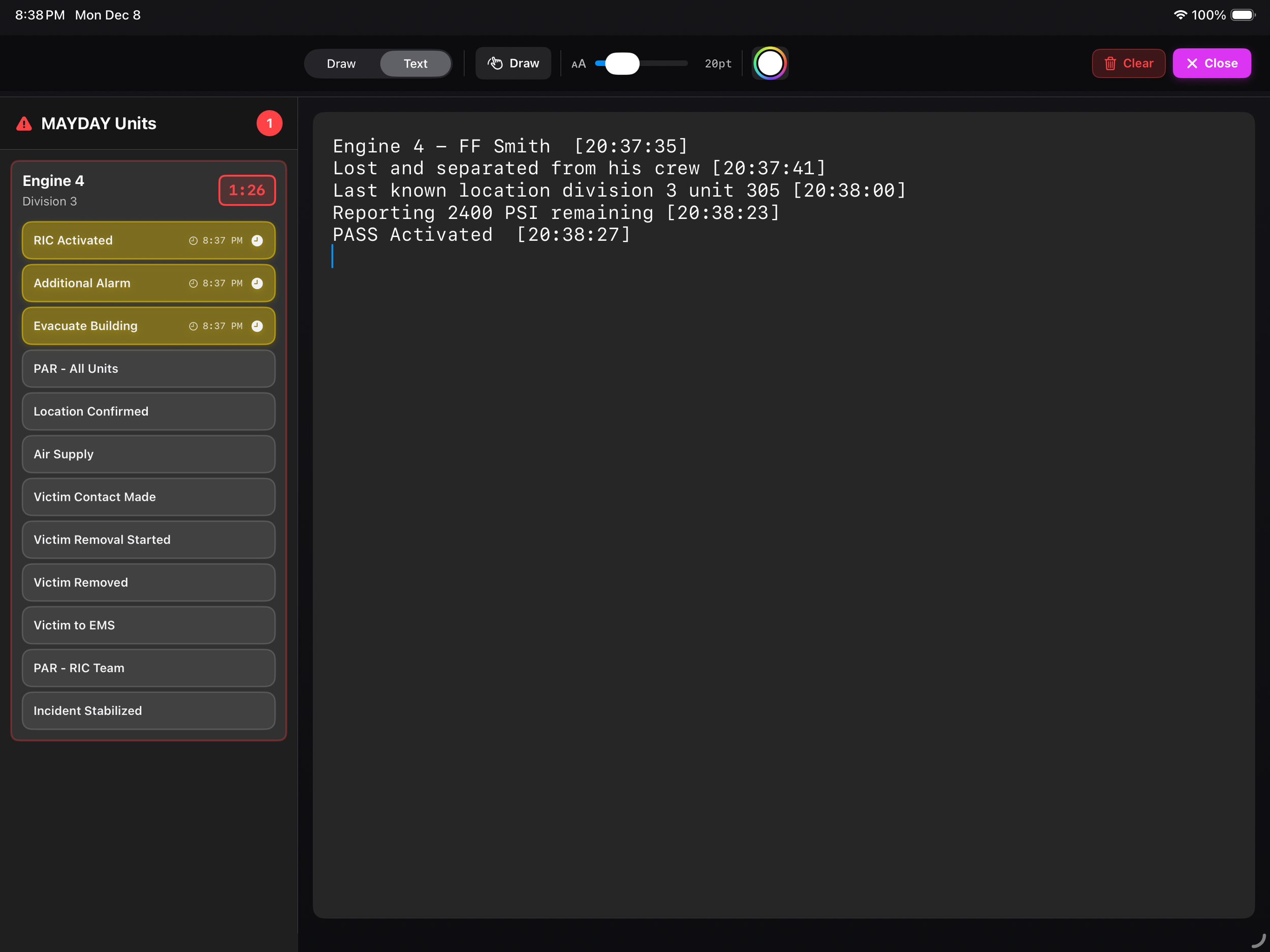
Quick deployment allows for immediate accountability and tracking of units in distress. Dedicated timers and tactical notes keep you focused on the rescue. Maintain real-time visibility of all units across multiple Maydays.
MAYDAY
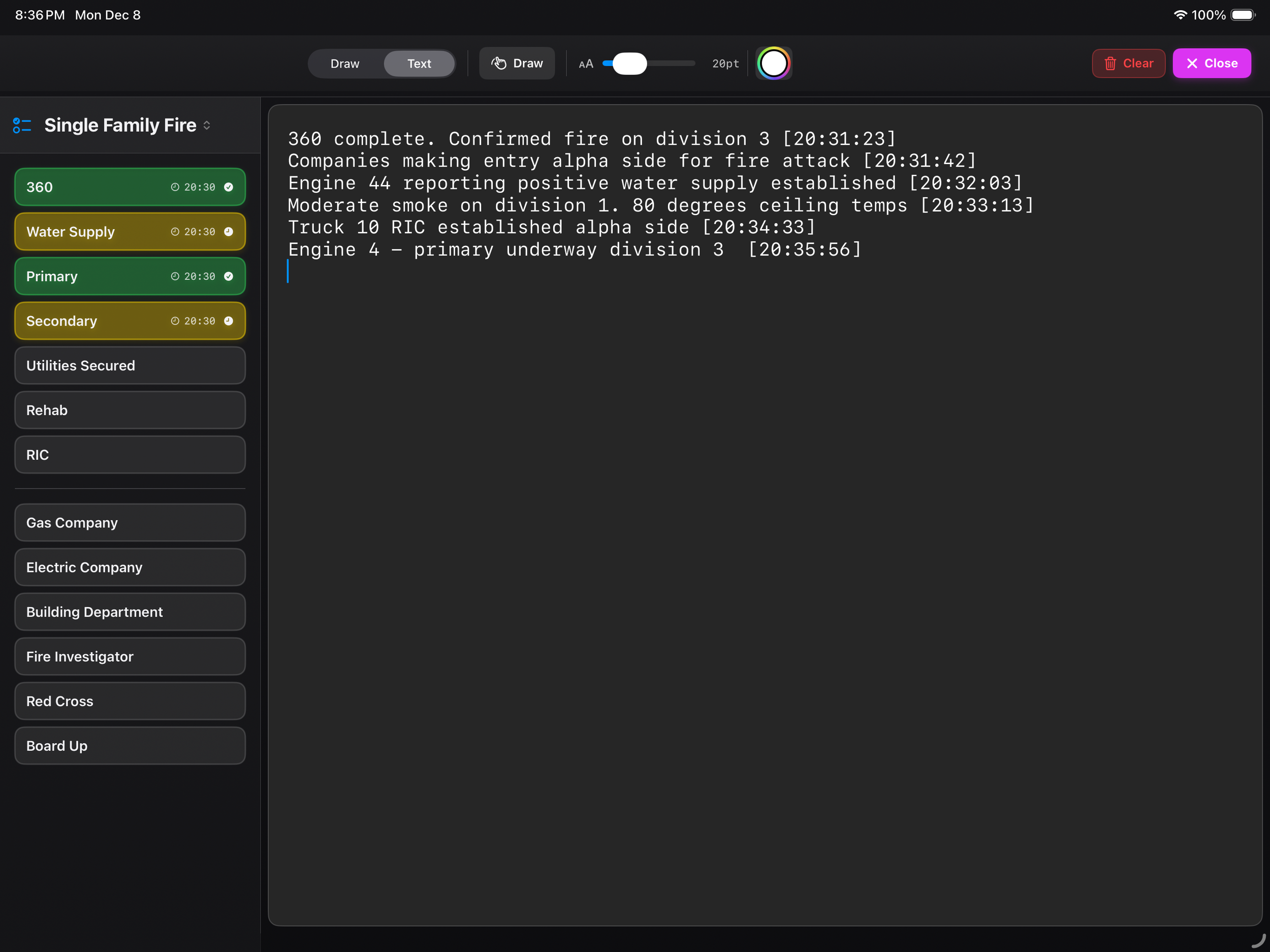
Create customizable checklists for any hazard, ready to deploy in an instant. Tactical objectives at your fingertips. Take detailed notes and create incident drawings to fit your decision making model.
Incident Checklists
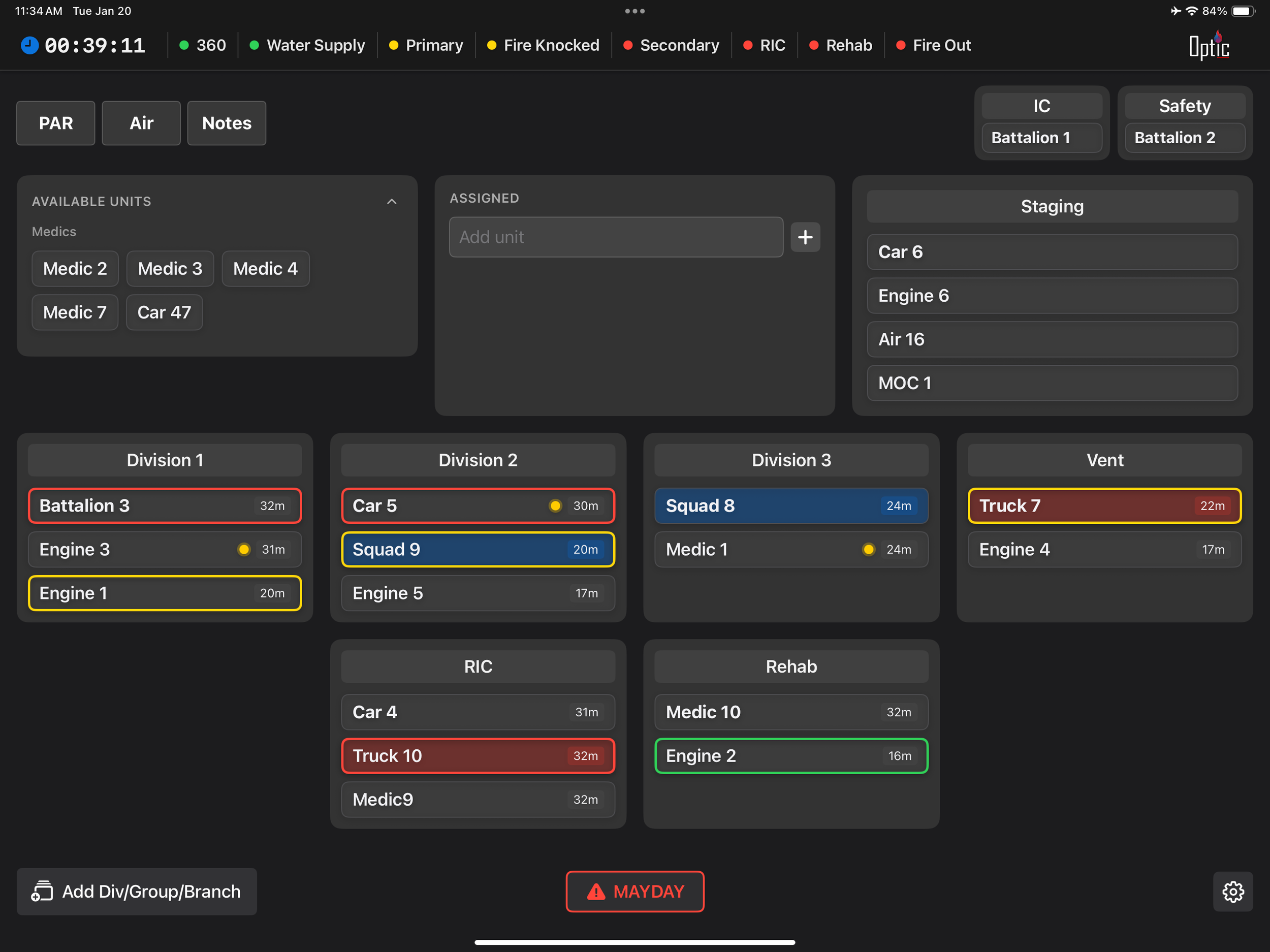
Customizable color-coded rings give you visual cues for progress reports, rehab needs, and return-to-work status. Set thresholds that match your SOPs and NFPA Standards.
Incident Timers
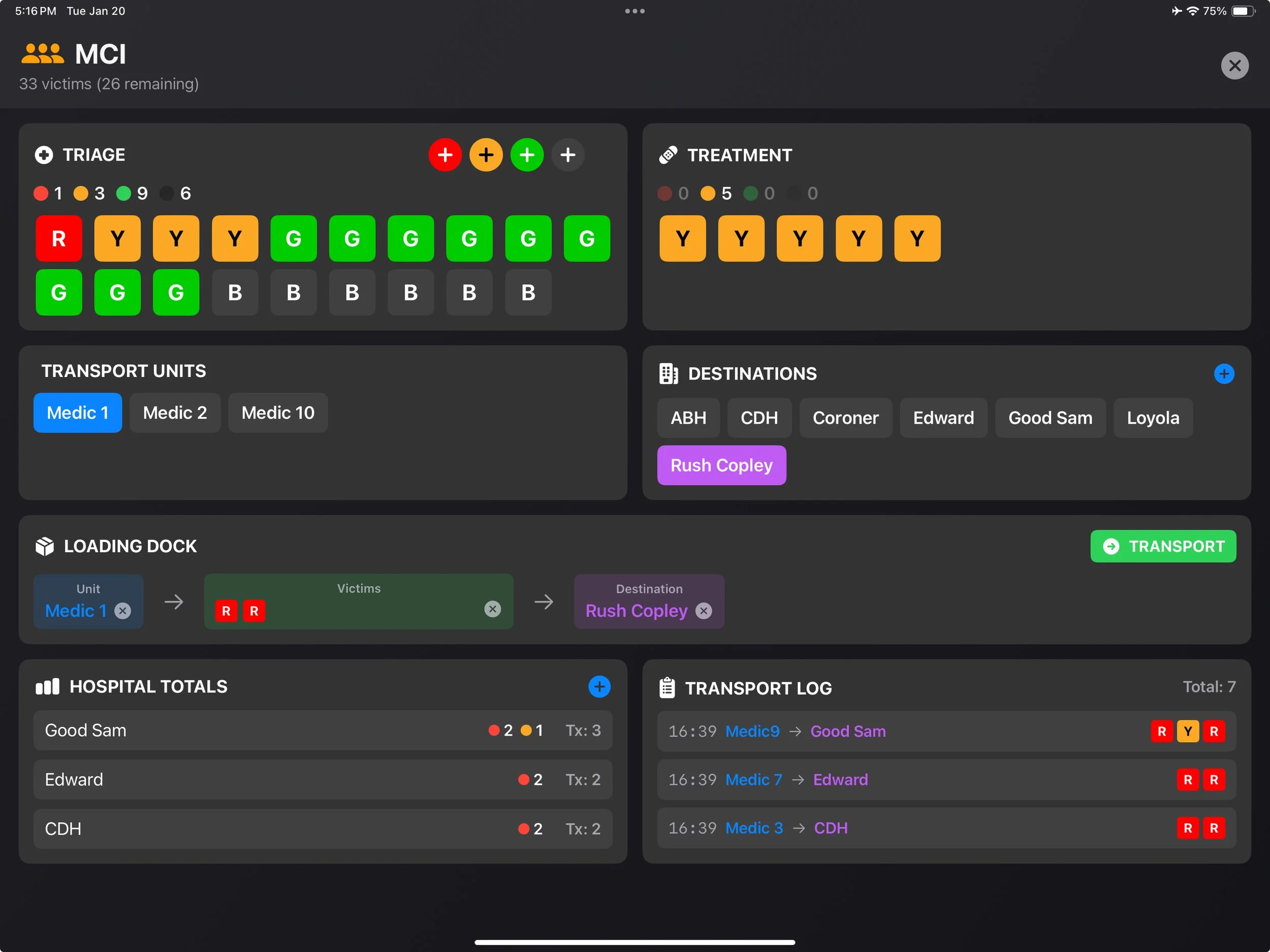
MCI module to support medical branch and transport coordination. Provides a structured view of victim triage and location, available transport units, hospital capacity, and patient movement from scene to destination.
MCI Module
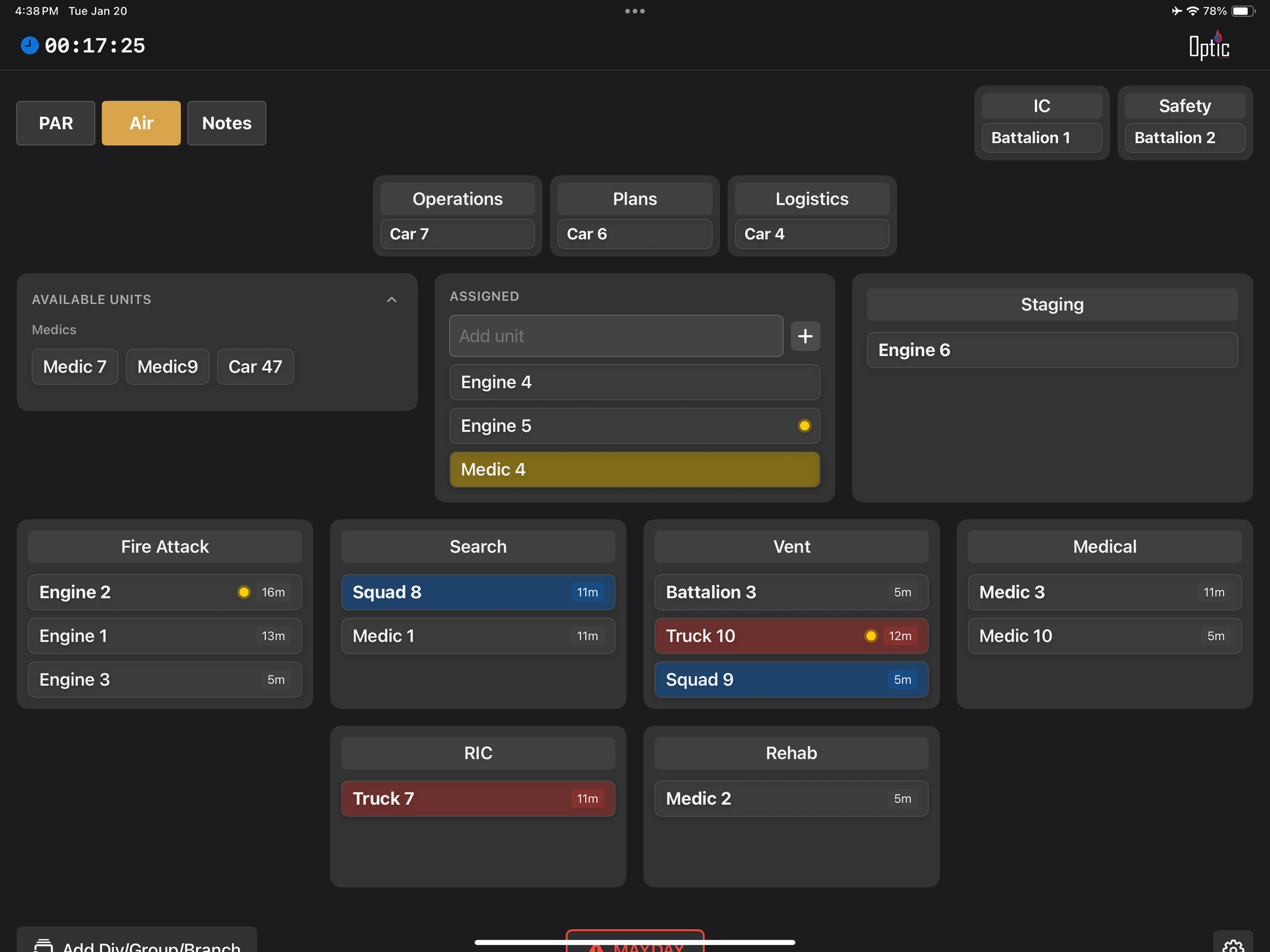
Track air consumption to keep work cycles in check to NFPA standards, and to maximize on-scene resources.
Air Management

Every action logged in sequence with timestamps and ready for post-incident review, ICS 214 logging and department record keeping.
Incident Logging
Common Questions
-
Optic is fully customizable to match how you run command. Users can tailor every aspect of the system, including:
Defaulted units based on your department’s response assignments
Preloaded incident checklists for any incident type you may encounter
Groups, Divisions, and Branches configured to fit your organizational structure
Unit work-cycle timers aligned with your SOPs and NFPA standards
Mayday checklists customized to your department’s procedures
PAR functionality, including interval timing and the ability to enable or disable as needed
Scalable incident expansion, allowing you to add or remove Groups, Divisions, Branches, General Staff, or Command Staff as the incident grows or contracts
On-the-fly unit creation for mutual aid, special resources, or unexpected needs
Optic adapts to your department, your SOPs, and your command style—whether you’re managing a single-company response or a complex, multi-alarm incident.
-
One of the most critical components of incident command is ensuring that your information stays exactly where you put it — on the command board.
Our design philosophy focuses on one thing above all else: accountability, no matter what.
Units remain assigned within their groups and divisions. Timers stay accurate, legible, and continuously running. Destructive actions are intentionally removed from the main command board to prevent accidental deletions or unintended incident closures.
Backgrounding the app to check weather, dispatch information, or mapping does not interrupt functionality — your incident continues to run.
Power loss, iPad crashes, restarts, or accidental app shutdowns do not compromise your incident. Your incident still runs..
-
Real time incident logging allows incident commanders to review past incident benchmarks and actions. No guessing necessary. Ability to share incidents, review previous incidents logs, and automatic incident logging. Your records are always kept secure on your device.
-
No. Optic is built to be fully customizable, allowing it to support any emergency incident across any organization. Whether operating within a single-agency response or a Unified Command structure, Optic fits naturally into any ICS function and supports participating, assisting, or cooperating agencies.
-
Optic is designed to run on any iPad running iOS 18.5 or greater. This includes iPad A16, iPad Air 11” and 13”, iPad Pro 11” and 13” and iPad mini. Optic is not designed nor optimized to run on the iPhone platform.
Optic is available exclusively on the Apple App Store and is not currently supported on Android or Windows platforms
-
Try Optic free for 14 days.
After your trial, continue with a simple subscription—monthly or annual per device—designed to fit your department’s needs.Monthly: $12.99
Annual: $129.99 (save over monthly)
Nothing hidden. No long-term commitment. No contracts.
Technical, security, and deployment details for Optic Incident Command System.